
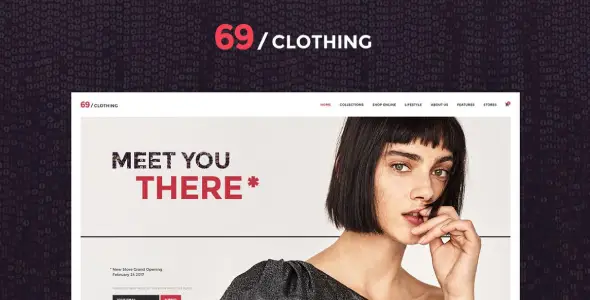
69 Clothing WordPress Theme
⚡ Instant Direct Download link delivered immediately to your account
Bank-Grade Encrypted Gateway • Instant Digital Download • Zero Risk Guarantee
100% Working Genuine GPL Untouched Files & Safe Direct Downloads
Product Overview
A fashion store is judged long before a visitor reads the technical details. Photography, collection organization, typography, spacing, and the path from discovery to purchase all influence whether the brand feels credible. This responsive WordPress theme is designed for clothing retailers, fashion boutiques, designer showrooms, lingerie stores, accessory brands, and style-focused businesses that need an online presence combining visual presentation with WooCommerce shopping tools.
Present Fashion Like A Curated Lookbook
The design direction gives product imagery an important role, making it suitable for seasonal collections, editorial campaigns, new arrivals, signature pieces, and brand stories. Rather than treating the homepage as a simple list of products, a retailer can arrange it like a digital storefront: introduce the current campaign, highlight selected categories, show a lookbook or gallery, feature important products, and lead visitors toward the shop.
This approach works for established brands and smaller boutiques alike. A large catalogue can organize content around collections, while a focused designer label can use fewer products and stronger storytelling. The theme can also support a showroom-style website where the main goal is to display garments and invite enquiries or appointments instead of relying entirely on online checkout.
Connect Visual Storytelling With WooCommerce
WooCommerce compatibility allows the site to move from inspiration to commerce within the same WordPress environment. Administrators can create products, categories, prices, images, stock settings, and other store information through familiar WooCommerce tools. The front-end presentation can then guide customers from a campaign image or category highlight to the relevant product page.
Before opening the store, configure payments, taxes, shipping zones, order emails, account pages, privacy settings, and refund information according to the business location. A theme supplies the presentation layer, but it does not replace the operational setup required to sell responsibly. Place test orders in a staging or test-payment mode and confirm that emails, totals, mobile checkout, and order management work as expected.
Use Galleries To Organize Collections And Campaigns
Essential Grid integration can help create image-led galleries for lookbooks, campaign shoots, brand portfolios, or grouped products. A boutique might create separate visual stories for formal wear, casual collections, accessories, or seasonal edits. A designer can showcase runway images, behind-the-scenes work, and press features without forcing every image into a standard blog archive.
Gallery content should remain purposeful. Use consistent image treatment, compress large files, and avoid uploading multiple near-identical photographs simply to fill the page. Add descriptive text around a collection so visitors understand the materials, inspiration, fit, or intended occasion. This also gives search engines and screen-reader users more useful context than an image-only grid.
Create A Personal Boutique Experience With Appointments
Booked Appointments integration can support businesses that offer fittings, showroom visits, consultations, styling sessions, or made-to-measure discussions. Appointment booking creates a useful bridge between the online catalogue and an in-person service. It can also help retailers manage limited-access events, personal shopping slots, or collection previews.
The booking workflow should clearly state the location, duration, preparation requirements, cancellation policy, and whether a deposit is needed. Form and email delivery must be tested before launch. If the booking service processes personal information, the site owner should also update privacy notices and retention practices to reflect the actual data collected.
Build The Brand Around More Than Products
Strong fashion websites communicate identity as well as inventory. Use an About page to explain the label’s design philosophy, sourcing approach, craftsmanship, or founder story. Create service pages for tailoring, styling, wholesale, or private appointments when relevant. A journal can cover collection launches, care instructions, style guides, interviews, and behind-the-scenes work.
Typography and color should follow a deliberate system. Select a small group of fonts that remains readable across product names, prices, buttons, and longer articles. Keep calls to action consistent and make essential store information easy to find. Visual restraint is often more effective than adding every animation or decorative option available in a demo.
Match The Theme To The Right Business Model
- Independent fashion labels presenting and selling their own collections.
- Multi-brand boutiques organizing products by designer, style, or season.
- Clothing showrooms using galleries and appointment-based enquiries.
- Lingerie and accessory stores requiring an image-focused storefront.
- Designers combining a portfolio, journal, and WooCommerce catalogue.
- Stylists or made-to-measure businesses offering consultation bookings.
The theme can be adapted for related retail niches, but the content strategy should remain specific. Replacing a logo and demo images is not enough to create a convincing brand. Product photography, sizing information, delivery expectations, returns guidance, customer service details, and original copy all need to reflect the real business.
Plan A Customer Journey Before Customizing
Map how different visitors should move through the site. A returning customer may want direct access to new arrivals, while a first-time visitor may need the brand story and sizing information. A local client might prefer to book an appointment, and a mobile shopper may want a simple category filter and fast checkout. Build menus and homepage sections around these intentions rather than copying the demo order without review.
Product pages should answer practical questions with clear images, variations, size guidance, care information, delivery estimates, and related items where appropriate. Avoid hiding essential information inside decorative tabs or images. The design should support purchasing confidence, particularly on mobile devices where customers cannot see the entire page at once.
Installation And Compatibility Checklist
- Create a full backup or use a staging website before changing themes.
- Upload the theme and review its included documentation.
- Install the required plugins and confirm their current licensing requirements.
- Import demo content only after understanding what it will add to the site.
- Configure WooCommerce pages, currency, payments, shipping, taxes, and emails.
- Replace all demo text and media with original, properly licensed content.
- Test galleries, appointments, product variations, accounts, and checkout.
- Review accessibility, performance, security, and mobile presentation.
Compatibility information can change as WordPress, WooCommerce, PHP, and third-party plugins evolve. Test the downloaded package with the exact hosting environment and plugin set used by the project. If the current site already contains orders or customer data, never perform a major theme change without a verified backup and recovery plan.
Download This GPL Fashion Theme From GPLCARE
GPLCARE provides this downloadable WordPress theme for self-managed website projects. The GPL download can be used as a starting point for a fashion catalogue, boutique storefront, brand portfolio, or appointment-led showroom website. Site owners remain responsible for installation, customization, backups, store configuration, payment services, privacy compliance, and compatibility testing.
Browse more GPL WordPress Themes when comparing layouts for WooCommerce stores, creative portfolios, and business websites. Review the product details and included documentation before using any downloaded theme on a live store, and complete the project with original brand assets, accurate commercial information, and a thoroughly tested purchasing journey.
Technical Specifications & Compatibility
| License | GPL |
| Current Version | v10.9.4 |
| Original Author | GPLCare |
| WordPress Compatibility | WP 5.8 to 6.7+ (Fully Compatible) |
| PHP Requirements | PHP 7.4 / 8.0 / 8.1 / 8.2 / 8.3 |
| File Integrity | 100% Untouched (Original .zip) |
| Security & Safety | 100% Clean & Verified (Safe) |
| Download Delivery | Instant Direct High-Speed Download |
Instant Direct Download
High-speed direct download link
100% Virus-Free
Verified authentic & clean files
VIP Priority Support
Direct 24/7 Helpdesk & Ticket
Related Products You May Like
View Catalog →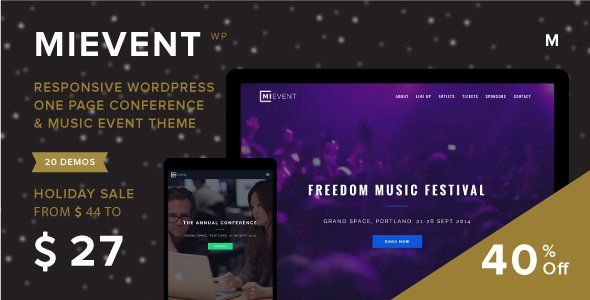 🔥 HOT DEAL
MiEvent – Responsive Event & Music WordPress Theme v1.0
 🔥 HOT DEAL
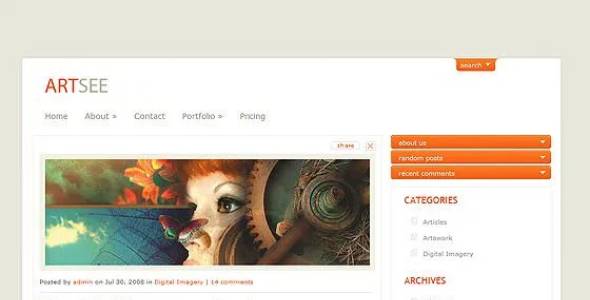
Elegant Themes - ArtSee Premium WordPress Theme 5.0.12
 🔥 HOT DEAL
 🔥 HOT DEAL
Customer Reviews
No reviews yet for this product
Have you purchased or downloaded this item? Be the first to share your honest feedback with the community!
Want Unlimited Access to This & 7,400+ Other Items?
Stop buying items one by one. Join thousands of creators getting 1-click instant direct downloads, daily regular updates, and priority support for our entire theme and plugin collection.