
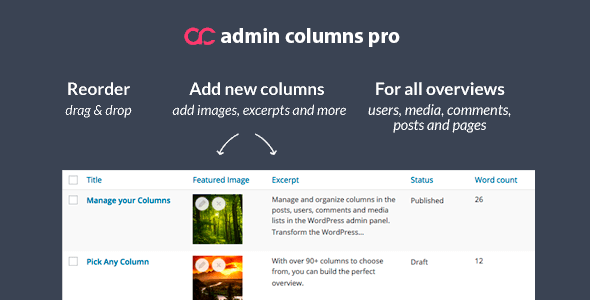
Admin Columns Pro Plugin v6.4.17
⚡ Instant Direct Download link delivered immediately to your account
Bank-Grade Encrypted Gateway • Instant Digital Download • Zero Risk Guarantee
100% Working Genuine GPL Untouched Files & Safe Direct Downloads
Product Overview
Admin Columns Pro Plugin V6.4.17
Admin Columns Pro Plugin V6.4.17 transforms WordPress admin list tables into practical content-management workspaces. It lets administrators decide which columns appear for posts, pages, custom post types, users, media, comments, taxonomies, and supported plugin data. The Pro tools then add sorting, smart filtering, inline editing, bulk editing, CSV export, multiple table views, conditional formatting, horizontal scrolling, sticky headers, and other controls that reduce repetitive navigation.
WordPress list screens are useful but generic by default. A property site, shop, editorial publication, directory, and membership community do not need the same columns. Admin Columns Pro allows each screen to be designed around the information and actions that matter for that content type, often without custom admin-development work.
See The Right Information At A Glance
The core column manager can add, remove, reorder, label, and resize columns. Instead of opening an item to check a featured image, custom field, taxonomy, author, date, relationship, media property, or workflow status, an administrator can display that value in the overview. Unnecessary default columns can be removed to make the screen easier to scan.
Good column design is selective. A content editor may need title, author, review date, category, and featured status. A shop manager may focus on SKU, stock, price, product type, and sales information. A media librarian may use file type, dimensions, orientation, and attachment relationships. Add only the values that help the current task.
Customize Posts, Pages, And Custom Post Types
Admin Columns Pro supports WordPress list tables for standard content and custom post types. Custom post types often contain the most specialised data, so they benefit significantly from a tailored overview. Events can show dates and venues, jobs can show department and closing date, properties can show price and availability, and testimonials can show client, rating, and approval state.
Each content type can have its own column configuration. Labels and widths should use the language familiar to the team. Put primary identifiers on the left, status information near the related action, and detailed or infrequently used values farther to the right.
Manage Users, Media, Comments, And Taxonomies
The plugin is not limited to post screens. The Users table can display roles, registration dates, custom fields, and other supported account information. Media columns can preview images, video, and documents or show file properties. Comment and taxonomy tables can also be customised according to the information available in those screens.
Administrative data can be sensitive. Configure user columns and exports carefully, limit access by role, and avoid presenting private values to staff who do not need them. A visually hidden column is not a replacement for appropriate WordPress capabilities and data-governance rules.
Sort WordPress Content By Useful Values
Sorting allows a user to click a column heading and order records by the associated value. Posts can be arranged by a custom date, products by price or stock, users by registration information, and custom post types by their operational fields. Numerical and natural sorting are handled differently, so the chosen data type and column settings matter.
Sorting is most reliable when the underlying data is consistent. Numbers should not contain explanatory text, dates should use a common storage format, and empty values should be understood. A sorted table can reveal content-quality issues that were previously hidden inside individual edit screens.
Find Records With Smart Filtering
Smart Filtering adds operators suited to different data types. Users can find exact values, partial text matches, ranges, empty or non-empty fields, dates, numbers, and other supported conditions. Multiple filters can be combined to build a focused working set from a much larger table.
Saved filters make recurring searches faster. A publishing team might save Drafts Missing A Featured Image. A store team could create Low Stock In A Specific Category. An administrator can reuse a query instead of rebuilding it each time, provided the installed version and column type support the required filter.
Edit Values Without Opening Every Record
Inline Editing changes supported values directly from the list table. Small corrections such as a title, status, taxonomy, date, number, or custom field can be made with fewer page loads. Undo and redo capabilities are available for supported workflows in current editions, helping administrators recover from a recent editing mistake.
The full edit screen remains appropriate for long content, complex relationships, validation-heavy fields, and decisions that require context. Inline editing should shorten routine work, not encourage changes without review.
Apply Changes With Bulk Editing
Bulk Editing updates a selected group or, where supported, a filtered result set. This can standardise categories, assign users, update statuses, change custom-field values, or complete another repeated operation. It is particularly valuable on sites with hundreds or thousands of related records.
Bulk actions require caution. Check the selection count, filters, and target field. Create a database backup before a major operation and test a small sample. A fast bulk edit is only useful when it changes exactly the intended records.
Export Filtered And Sorted Data To CSV
The Export feature creates a CSV from the visible list-table data. Administrators can choose columns, apply sorting and filters, and export the focused result for reporting, analysis, audits, or migration preparation. The what-you-see approach helps prevent irrelevant fields from being included automatically.
Version 6.4.17 specifically fixed an error that could occur when exporting list-screen settings containing a saved filter with quotation marks. Even with that fix, review CSV content, character encoding, formulas, and personal data before sharing or opening the file in another system.
Create Multiple Table Views
Multiple Table Views let one list screen support different tasks or users. An editorial view, finance view, quality-control view, and management view can use separate columns without constant reconfiguration. User and role conditions can provide a more relevant interface where the installed plan and version support them.
Views should have clear names and owners. Remove obsolete views, document important filters, and avoid creating several nearly identical configurations. A small set of well-designed screens is easier to maintain than an uncontrolled collection.
Highlight Important Data With Conditional Formatting
Conditional Formatting can change text or background colour when a value meets a defined condition. A low-stock item, overdue date, missing field, exceptional value, or status can become visible without sorting the table first. This is useful for spotting exceptions and patterns quickly.
Colour should not be the only signal. Use readable text or icons as well, maintain contrast, and avoid assigning too many colours. A table with several competing rules can become harder to interpret than the default screen.
Use Horizontal Scrolling And Sticky Headers
Horizontal scrolling allows columns to keep practical widths even when the table is wider than the screen. Sticky headers keep the labels visible during vertical scrolling, reducing the chance of reading a value under the wrong heading. Together, these features support detailed tables without compressing every column into a few characters.
A wide table should still be organised. Keep identifiers and actions near the left, group related values, and remove columns that do not support the task. Version 6.4.17 also introduced a more compact value modal for the Images column, making image details easier to review within the admin interface.
Quick Add, Bulk Delete, And Table Cleanup
Quick Add can create posts from the list table so users can begin working without opening a separate creation screen. Bulk Delete can remove multiple items, including supported filtered results across pagination. Table customisation options can hide elements that distract from the workflow.
Deletion is destructive and should be limited to trusted roles. Confirm the content type and selection, use Trash where available, and maintain backups. Quick Add should also include only the fields required to create a valid record; complex items can be completed in their normal edit screen.
Work With Custom Fields
Admin Columns Pro supports custom-field data across WordPress list tables. Fields can be displayed, searched, filtered, edited, and exported where the data type and installed features allow it. This makes the plugin relevant to sites built with native post meta, custom development, and supported field-framework integrations.
Choose display formats that reflect the stored value. A raw relationship ID, serialized array, or timestamp may be technically correct but unhelpful to an editor. The column should translate data into a readable and actionable form.
Integrate With Popular WordPress Plugins
Admin Columns offers integrations for systems such as Advanced Custom Fields, WooCommerce, Gravity Forms, BuddyPress, Pods, Meta Box, and other supported plugins. These integrations extend the column types and operations available for the data created by the parent plugin.
Integrations are separate packages and require compatible versions. Install only the add-ons used by the site. Duplicate or outdated integrations can increase maintenance work and may create conflicting columns or editing controls.
What Changed In Version 6.4.17
Admin Columns Pro 6.4.17 was released on March 19, 2025. The official changelog records a fix for exporting list-screen settings when a saved filter contains quotation marks. It also notes a more compact Images column value modal, improved number formatting in filter widgets for values with five or more digits, product-count sorting for the WooCommerce HPOS order table using the product lookup table, and an option to hide default WooCommerce order filters.
The release updated the Admin Columns core component to version 4.7.13. Newer Admin Columns Pro releases exist, so treat this product as the specific 6.4.17 package described by its title. Review the changelog and test whether this version meets the site's current compatibility and security requirements.
Practical Use Cases
- Editorial Sites: Track author, review status, campaign, category, featured image, and publication dates.
- WooCommerce Stores: Manage SKU, stock, prices, product data, order information, and supported HPOS columns.
- Real Estate: Compare property type, location, price, bedrooms, agent, and availability.
- Events: Organise start dates, venues, organisers, capacity, and registration state.
- Directories: Review category, region, verification, owner, and featured status.
- Media Libraries: Inspect type, size, dimensions, orientation, attachment use, and visual previews.
Recommended Setup Workflow
- Create a current database backup and test on a staging copy.
- Install and activate Admin Columns Pro Plugin V6.4.17.
- Open the column settings for one high-value list screen.
- Remove unnecessary defaults and add only the fields required for the first task.
- Configure labels, widths, display formats, and column order.
- Enable sorting, filtering, editing, bulk editing, or export selectively.
- Create task-specific views and saved filters where supported.
- Test permissions with the staff roles that will use the table.
- Review query performance with realistic data volume.
- Document the update, export, backup, and bulk-change procedures.
GPL Download And Related Integrations
This package is distributed under the GPL information shown on GPL Care. It does not automatically include an AdminColumns.com subscription, direct developer support, a cloud account, or licence-based automatic updates. Follow the update process provided by GPL Care and test replacements on staging.
Extend the core for specific data with Admin Columns Pro ACF AddOn V2.6.7, Admin Columns Pro BuddyPress Addon V1.6, Admin Columns Pro Gravity Forms V1.1.1, or Admin Columns Pro Pods Addon V1.6.1. Install only the integrations required by the site.
Frequently Asked Questions
What Does Admin Columns Pro Change?
It customises WordPress admin list tables and adds supported sorting, filtering, editing, bulk actions, exports, views, formatting, and navigation features.
Can It Manage Custom Post Types?
Yes. Custom post-type list screens can have their own columns and workflow configuration.
Can I Edit Content From The Overview?
Supported values can be edited inline or in bulk. Use the full edit screen for complex or context-sensitive changes.
Can I Export A Filtered Table?
Yes. CSV export can use the selected columns and current sorting and filtering state.
Does It Support Custom Fields?
Custom fields are supported for display and, where compatible, sorting, filtering, editing, and export. Dedicated integrations extend popular field frameworks.
Is Version 6.4.17 The Latest Release?
No. It is a specific March 2025 release and newer versions exist. Confirm compatibility and update requirements before production use.
Does The GPL Package Include Developer Account Services?
No. Direct support, subscription benefits, account access, and licence-based automatic updates are separate from redistributed GPL files.
Build A Faster And More Focused WordPress Admin
Admin Columns Pro Plugin V6.4.17 gives administrators control over what each WordPress list table shows and how that data can be used. With focused columns, smart filters, reliable sorting, inline and bulk editing, CSV export, multiple views, conditional formatting, horizontal scrolling, sticky headers, and supported integrations, complex sites can reduce routine page loads and make important information easier to act on. Careful permissions, backups, version checks, and task-specific views keep that convenience safe and maintainable.
Technical Specifications & Compatibility
| License | GPL |
| Current Version | v10.9.4 |
| Original Author | GPLCare |
| WordPress Compatibility | WP 5.8 to 6.7+ (Fully Compatible) |
| PHP Requirements | PHP 7.4 / 8.0 / 8.1 / 8.2 / 8.3 |
| File Integrity | 100% Untouched (Original .zip) |
| Security & Safety | 100% Clean & Verified (Safe) |
| Download Delivery | Instant Direct High-Speed Download |
Instant Direct Download
High-speed direct download link
100% Virus-Free
Verified authentic & clean files
VIP Priority Support
Direct 24/7 Helpdesk & Ticket
Related Products You May Like
View Catalog → 🔥 HOT DEAL
 🔥 HOT DEAL
 🔥 HOT DEAL
WooCommerce - PayPal Pro Integration WooCommerce Extension 4.5.1
🔥 HOT DEAL
WooCommerce - Windcave Payment Gateway WooCommerce Extension 4.4
Customer Reviews
No reviews yet for this product
Have you purchased or downloaded this item? Be the first to share your honest feedback with the community!
Want Unlimited Access to This & 7,400+ Other Items?
Stop buying items one by one. Join thousands of creators getting 1-click instant direct downloads, daily regular updates, and priority support for our entire theme and plugin collection.