
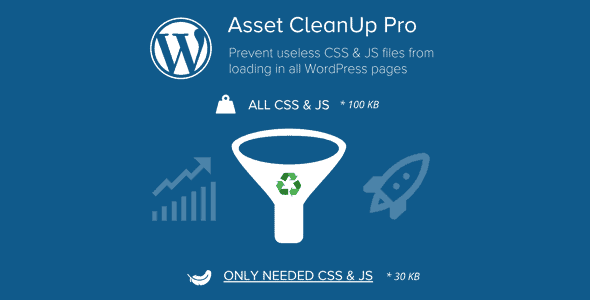
Asset CleanUp Pro Performance Plugin v1.2.7.2
⚡ Instant Direct Download link delivered immediately to your account
Bank-Grade Encrypted Gateway • Instant Digital Download • Zero Risk Guarantee
100% Working Genuine GPL Untouched Files & Safe Direct Downloads
Product Overview
Product Analysis: Asset CleanUp Pro Performance WordPress Plugin
Asset CleanUp Pro Performance WordPress Plugin is built for WordPress site owners who want better loading speed by controlling unnecessary CSS and JavaScript files. It belongs to the WordPress performance optimization category and is useful for bloggers, WooCommerce store owners, agencies, freelancers, developers, and website managers who want cleaner pages, faster loading time, and a more optimized user experience.- Product Name: Asset CleanUp Pro Performance WordPress Plugin
- Category: WordPress Plugin
- Main Purpose: Reduce unused CSS/JS, improve page speed, and optimize frontend performance
- Industry: WordPress speed optimization, website performance, Core Web Vitals improvement
- Best For: WordPress websites, WooCommerce shops, blogs, agency websites, landing pages, and custom client projects
Clean Your WordPress Pages Without Rebuilding the Website
Many WordPress websites become slow not because the hosting is weak, but because every page loads too many plugin files, theme stylesheets, scripts, fonts, and extra assets that are not needed everywhere. A contact form plugin may load its CSS on the homepage, a slider may load JavaScript on blog posts, or WooCommerce files may appear on pages where no shop feature is being used. Asset CleanUp Pro helps solve this problem by giving you more control over what loads on each page. Instead of depending only on caching, this plugin focuses on asset unloading. That means you can stop unnecessary files from loading where they are not required. The result is a cleaner frontend, fewer HTTP requests, reduced page weight, and a better chance of improving speed test scores. For anyone managing a serious WordPress site, this type of control can be extremely useful. It allows you to optimize pages carefully without changing your theme, deleting important plugins, or redesigning your website from scratch.How Asset Unloading Improves Real Website Performance
Speed optimization is not only about installing a cache plugin and hoping for the best result. A cache plugin can store and deliver pages faster, but it may still serve unnecessary CSS and JavaScript if those files are already loaded by the theme or plugins. Asset CleanUp Pro works differently because it helps reduce the amount of code loaded before caching even happens. For example, if a pricing table plugin is only used on your pricing page, there is no reason for its assets to load on every blog post. If a gallery plugin is only used on portfolio pages, its scripts should not slow down your checkout page. By removing unused files from specific pages, your website becomes lighter and easier for browsers to render.Useful Performance Improvements You Can Work Toward
- Reduce unused CSS and JavaScript files
- Lower the total number of frontend requests
- Improve page weight and loading behavior
- Reduce render-blocking resources
- Make landing pages cleaner and faster
- Support better Core Web Vitals optimization
- Improve user experience on mobile devices
Page-Level CSS and JavaScript Control for WordPress
The strongest use case of Asset CleanUp Pro is page-level control. Instead of applying one global performance rule to the entire website, you can decide which files should load on which page. This is important because different pages have different needs. Your homepage may need a slider, hero section, animation, and newsletter popup. Your checkout page may need WooCommerce scripts, payment gateway files, and form validation. Your blog post may only need basic theme styling and reading experience. Loading the same assets everywhere can make all pages heavier than necessary.Examples of Smart Asset Cleanup
- Disable contact form CSS on pages without contact forms
- Unload slider scripts from blog posts and checkout pages
- Stop WooCommerce cart fragments from loading on non-shop pages when appropriate
- Remove unused page builder widgets from simple content pages
- Disable marketing scripts from pages where they are not needed
- Keep important files active only where they are required
Better Speed Workflow for WooCommerce Stores
WooCommerce websites often need extra attention because they include product pages, category pages, cart pages, checkout pages, payment gateways, wishlist tools, product filters, review systems, and tracking scripts. Each feature may add its own files. Over time, a WooCommerce site can become heavy, especially when many extensions are installed. Asset CleanUp Pro can help store owners optimize different sections of the shop more carefully. For example, a product filter script may be useful on shop archive pages but unnecessary on the homepage. A payment-related script may be needed on checkout but not on blog posts. Product gallery assets may be required on product pages but not on a simple About page.Where WooCommerce Users May Find It Helpful
- Product pages with too many scripts
- Shop category pages affected by filters and widgets
- Checkout pages that need cleaner loading
- Landing pages created for paid ads
- Blog content used for SEO traffic
- Mobile shopping experience optimization
Asset CleanUp Pro vs Normal Caching Plugins
Asset CleanUp Pro is not a simple replacement for caching plugins like WP Rocket, LiteSpeed Cache, or other WordPress optimization tools. Instead, it can work as a more targeted performance layer. A caching plugin usually focuses on page caching, minification, browser cache, lazy loading, and delivery optimization. Asset CleanUp Pro focuses more on deciding what should not load in the first place. This difference matters. If a website loads 80 CSS and JavaScript files, caching may help deliver them faster, but the browser still has to process many files. Asset cleanup can reduce the number of files before caching takes effect. That is why many advanced WordPress developers use asset management together with caching, CDN, image compression, and good hosting.Simple Comparison for Better Understanding
- Caching plugin: Helps deliver website pages faster
- Image optimization plugin: Reduces image size and improves media loading
- CDN: Delivers static files from faster locations
- Asset CleanUp Pro: Helps prevent unnecessary CSS and JavaScript from loading
Practical Use Cases for Developers, Agencies, and Freelancers
Developers and agencies often work with client websites that use many plugins. A client may want contact forms, booking systems, social sharing, popups, analytics, live chat, WooCommerce, Elementor widgets, and marketing tools all on the same website. Removing those tools is not always possible because the business depends on them. Asset CleanUp Pro gives professionals a more controlled way to optimize these websites. Instead of saying “remove plugins,” you can review what loads on each page and disable unnecessary assets carefully. This is a more professional approach because it respects both performance and business functionality.Common Client Projects Where It Makes Sense
- Agency websites with multiple marketing plugins
- WooCommerce stores using several extensions
- Blog websites with ad scripts and social sharing tools
- Landing pages built with page builders
- Membership websites with conditional plugin loading
- LMS and course websites with mixed content types
- Local business websites that need faster mobile loading
Core Web Vitals and Frontend Optimization Support
Core Web Vitals are closely connected with how quickly users can see and interact with a webpage. Heavy CSS, blocking JavaScript, too many requests, and unnecessary frontend files can affect loading behavior. Asset CleanUp Pro helps by giving you tools to reduce frontend weight and improve how pages load. Of course, no single plugin can guarantee perfect scores. Website speed also depends on hosting, theme quality, image size, database health, caching setup, CDN configuration, ads, third-party scripts, and overall page design. But asset unloading is one of the most useful steps when a WordPress site is overloaded with plugin and theme files.Performance Areas It Can Help With
- Unused CSS reduction
- Unused JavaScript reduction
- Render-blocking file management
- Lower page size
- Cleaner mobile page loading
- Better frontend resource control
Careful Optimization Without Breaking Important Functions
Asset management requires attention. If you unload the wrong script, a slider, menu, form, checkout function, popup, or page builder section may stop working. That is why Asset CleanUp Pro is best used with careful testing. You should optimize one page type at a time, check the frontend, test mobile view, and confirm important actions such as form submission and checkout. This plugin is powerful because it gives control, but that control should be used wisely. For beginners, it is better to start with obvious unused files. For developers, it offers deeper flexibility to create a cleaner loading structure across the website.Recommended Workflow Before Publishing Changes
- Check the page with browser developer tools or speed testing tools
- Identify assets that are clearly not needed on that page
- Unload files carefully instead of disabling many files at once
- Test the design, forms, menus, cart, and checkout after changes
- Clear cache and test again in incognito mode
- Repeat the process for important page types
Who Should Use Asset CleanUp Pro?
Asset CleanUp Pro is suitable for website owners who care about speed and want more than basic optimization. If your WordPress website has become slow because of too many plugins, page builder elements, WooCommerce extensions, or marketing scripts, this plugin can help you take better control.Best Fit For
- WordPress users who want faster loading pages
- WooCommerce store owners who want cleaner shopping pages
- Bloggers who want better mobile speed
- Developers who optimize client websites
- Freelancers offering WordPress speed services
- Agencies managing many plugin-heavy websites
- Website owners using Elementor, Gutenberg, or page builders
Why GPLCare Users May Like This Plugin
GPLCare.com provides WordPress products for users who build, manage, and improve websites regularly. Asset CleanUp Pro fits well for users who want to optimize their WordPress performance without buying multiple tools separately for every project. It is especially valuable for developers and freelancers who test different themes, plugins, and client setups. With this plugin, you can improve performance in a more practical way. Instead of guessing why a page is slow, you can inspect assets and decide what should load. That makes optimization more direct, more controlled, and more suitable for real WordPress projects.Frequently Asked Questions About Asset CleanUp Pro
What is Asset CleanUp Pro used for?
Asset CleanUp Pro is used to control and unload unnecessary CSS and JavaScript files from WordPress pages. It helps reduce page weight, lower requests, and improve frontend performance.Is Asset CleanUp Pro the same as a caching plugin?
No. A caching plugin helps deliver pages faster, while Asset CleanUp Pro helps prevent unnecessary files from loading. Both can be used together as part of a complete WordPress speed optimization setup.Can Asset CleanUp Pro improve Core Web Vitals?
It can support Core Web Vitals improvement by reducing unused CSS, unused JavaScript, and render-blocking resources. However, final results also depend on hosting, theme quality, images, caching, third-party scripts, and overall website structure.Is this plugin useful for WooCommerce websites?
Yes. WooCommerce sites often load many scripts and styles. Asset CleanUp Pro can help manage assets on product pages, shop pages, checkout pages, and non-shop pages more carefully.Do beginners need technical knowledge to use it?
Basic users can use it carefully, but some understanding of WordPress assets, CSS, JavaScript, and testing is helpful. It is best to make changes slowly and test every important page after unloading files.Can unloading the wrong file break my website layout?
Yes, it can. If an important CSS or JavaScript file is unloaded, some features may stop working. Always test your pages after making changes and avoid disabling many assets at once.Who should download Asset CleanUp Pro from GPLCare?
WordPress users, freelancers, developers, agencies, bloggers, and WooCommerce store owners who want better page speed control can find this plugin useful for performance-focused projects.Technical Specifications & Compatibility
| License | GPL |
| Current Version | v10.7.0 |
| Original Author | GPLCare |
| WordPress Compatibility | WP 5.8 to 6.7+ (Fully Compatible) |
| PHP Requirements | PHP 7.4 / 8.0 / 8.1 / 8.2 / 8.3 |
| File Integrity | 100% Untouched (Original .zip) |
| Security & Safety | 100% Clean & Verified (Safe) |
| Download Delivery | Instant Direct High-Speed Download |
Instant Direct Download
High-speed direct download link
100% Virus-Free
Verified authentic & clean files
VIP Priority Support
Direct 24/7 Helpdesk & Ticket
Related Products You May Like
View Catalog → 🔥 HOT DEAL
 🔥 HOT DEAL
 🔥 HOT DEAL
 🔥 HOT DEAL
Customer Reviews
No reviews yet for this product
Have you purchased or downloaded this item? Be the first to share your honest feedback with the community!
Want Unlimited Access to This & 7,400+ Other Items?
Stop buying items one by one. Join thousands of creators getting 1-click instant direct downloads, daily regular updates, and priority support for our entire theme and plugin collection.