
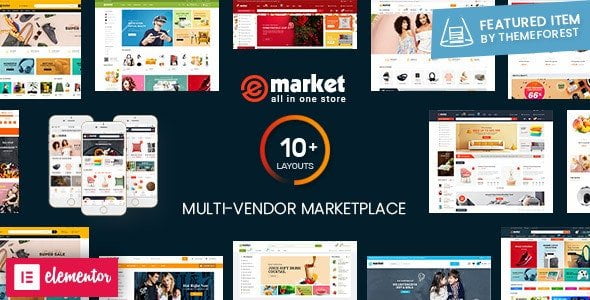
eMarket Theme v8.2.3 – Multi Vendor MarketPlace WordPress Theme
⚡ Instant Direct Download link delivered immediately to your account
Bank-Grade Encrypted Gateway • Instant Digital Download • Zero Risk Guarantee
100% Working Genuine GPL Untouched Files & Safe Direct Downloads
Product Overview
eMarket MultiVendor MarketPlace Theme for WooCommerce-Based Online Marketplaces
eMarket MultiVendor MarketPlace is a WordPress theme designed for users who want to build a professional online marketplace, multi-vendor store, product catalog website, or WooCommerce-powered shopping platform. It is suitable for marketplace owners, eCommerce entrepreneurs, developers, freelancers, agencies, and business owners who want to create a website where multiple sellers, product categories, deals, and shopping sections can be presented in a clean and organized way. A marketplace website has different needs compared to a simple online store. It must handle many products, many categories, different vendors, attractive offers, product discovery, customer trust, and a smooth shopping journey. eMarket gives your WordPress website a marketplace-focused design foundation, making it useful for businesses that want to create a store experience similar to a large online shopping portal.Marketplace Blueprint: Product, Purpose, Industry, and Audience
Before choosing a theme for a marketplace project, it is important to understand what type of website you are planning to build. eMarket is not just a normal blog theme or corporate theme. It belongs to the eCommerce and marketplace niche, where product presentation, seller visibility, category browsing, and conversion-focused design are very important.Product Name Understanding
The name eMarket MultiVendor MarketPlace clearly shows that this theme is created for online marketplace-style websites. It is suitable for websites where products from different sellers, categories, or brands need to be displayed professionally.Category Relevance
As a WordPress theme, eMarket provides a ready-made design structure for building WooCommerce-based marketplace websites, shopping portals, vendor-focused stores, and product-heavy eCommerce platforms.Core Website Purpose
The main purpose of eMarket is to help website owners create a shopping platform where customers can explore products easily, compare items, view offers, browse categories, and move toward purchase with confidence.Industry Match
eMarket fits the eCommerce, online marketplace, retail, dropshipping, vendor marketplace, electronics store, fashion marketplace, grocery store, digital product shop, and multi-category shopping industries.Target Audience
This theme is useful for WordPress users, WooCommerce store owners, marketplace startups, developers, freelancers, agencies, bloggers selling products, and eCommerce businesses that want a scalable shopping website.Creating a Multi-Seller Shopping Experience
A normal WooCommerce store usually belongs to one seller. A marketplace website, however, can be planned around multiple sellers, different product types, and a larger shopping experience. eMarket is suitable for this kind of project because it gives your website a commercial structure that can support many product sections and shopping categories. For example, you can create an electronics marketplace with mobile phones, laptops, accessories, smart watches, and computer parts. You can also create a fashion marketplace with clothing, shoes, bags, jewelry, and seasonal collections. The theme helps you present a broad product range in a way that feels more organized than a basic store layout.Marketplace website ideas include:
- Electronics and gadget marketplace
- Fashion and accessories shopping portal
- Furniture and home decor marketplace
- Beauty and skincare product store
- Grocery and daily essentials website
- Digital product marketplace
- Local vendor shopping platform
- Multi-category WooCommerce store
Shopping Portal Layouts for Large Product Collections
When a website has many products, the design must help customers find the right item quickly. If the homepage is confusing, visitors may leave before checking your products. eMarket is useful for creating a marketplace-style homepage where categories, offers, featured products, banners, and product sections can be arranged clearly. A good shopping portal should act like a guide. It should show what is available, what is popular, what is new, and where customers should click next. eMarket gives your website a structure that can support this kind of browsing experience.Useful marketplace homepage sections:
- Top product categories
- Featured deals and promotional banners
- New arrival product sections
- Best-selling product areas
- Vendor or brand highlight sections
- Seasonal offer blocks
- Category-wise product rows
Vendor-Focused Presentation for Marketplace Growth
In a marketplace model, vendors are an important part of the business. Customers may want to know which seller is offering a product, what type of items they sell, and whether the marketplace feels trustworthy. eMarket can be used to create a marketplace environment where vendor-based shopping feels more professional. For a better user experience, marketplace owners should plan clear vendor pages, store information, seller policies, product quality details, and customer support sections. The theme gives the visual foundation, while your marketplace plugin and business setup manage the vendor-related functionality.Vendor presentation can include:
- Seller store name
- Vendor product listings
- Brand or shop introduction
- Customer service details
- Shipping and return information
- Product category focus
Product Discovery for Fast Buying Decisions
Marketplace customers often browse many products before making a purchase. They compare price, image quality, product title, features, discount, seller trust, and delivery details. eMarket supports a product-focused design approach where customers can scan products more easily. Good product discovery is important because customers should not feel lost inside a large catalog. Category sections, product grids, offer areas, and product previews can help visitors move toward the right item faster.Better product discovery helps with:
- More product views per visitor
- Improved category browsing
- Faster product comparison
- Higher chance of add-to-cart actions
- Better shopping satisfaction
Offer, Deal, and Campaign-Based Selling
Marketplaces often depend on offers to attract buyers. Customers love sections such as today’s deals, flash sale, discount products, best sellers, trending items, and limited-time offers. eMarket is suitable for websites that want to highlight promotional campaigns in a strong visual way. For example, an electronics marketplace can run a smartphone sale. A fashion marketplace can highlight festive collections. A grocery marketplace can show weekly discounts. A digital product store can promote bundle offers. These campaign sections can make the website feel active and sales-focused.Promotional content ideas:
- Flash sale product rows
- Festival offer banners
- Limited-time discount sections
- New customer offer areas
- Best deal product blocks
- Bundle or combo product promotions
Category Strategy for Multi-Department Stores
Large eCommerce websites need strong category planning. Without proper categories, customers may struggle to find products. eMarket is useful for building a multi-department store where each category can have its own identity and product flow. For example, a general marketplace may include electronics, fashion, beauty, home appliances, grocery, sports, books, and digital products. A niche marketplace may focus only on fashion or electronics but still require subcategories for better browsing.Category planning can improve:
- Customer navigation
- Product organization
- SEO relevance for category pages
- Internal linking opportunities
- Conversion from commercial search traffic
Mobile Shopping Experience for Modern Buyers
Many online shoppers browse and buy products from mobile phones. A marketplace website must look clean on smaller screens because customers may arrive from Google search, social media, WhatsApp links, paid ads, or direct promotions. eMarket is suitable for building a mobile-friendly shopping website where product sections, menus, images, and shopping areas can adjust for different devices. This helps customers browse products comfortably whether they are using a desktop, tablet, or smartphone.Mobile-friendly marketplace design helps with:
- Better product browsing on phones
- Cleaner navigation for mobile users
- Improved customer experience
- Lower bounce rate from mobile traffic
- More professional shopping presentation
Trust Elements for Marketplace Customers
Trust is one of the biggest challenges for marketplace websites. Customers need to feel safe before buying from a platform with many products or sellers. A professional design can help, but the website should also include clear policies, seller information, customer support, payment details, and return guidance. eMarket gives you a suitable design base where trust-building content can be placed naturally. This is important for new marketplaces that need to convince visitors before they make their first purchase.Important trust-building areas:
- Secure payment information
- Shipping and delivery details
- Return and refund policy
- Customer support contact
- Vendor or brand information
- Product review sections
- About marketplace page
Useful for Developers, Freelancers, and Agencies
eMarket is a practical theme for professionals who build eCommerce websites for clients. Many businesses want marketplace-style websites because they want to sell multiple product types, work with vendors, or create a large shopping platform. Freelancers and agencies can use eMarket as a starting point for projects such as local shopping portals, electronics stores, fashion marketplaces, product catalogs, and multi-category WooCommerce stores. Instead of designing every section manually, they can focus on branding, product setup, marketplace plugin configuration, performance, and SEO.Client project examples:
- Local vendor marketplace for a city or region
- Fashion marketplace for clothing sellers
- Electronics store with multiple brands
- Grocery and daily needs shopping website
- Digital products marketplace
- Home decor and furniture shopping portal
SEO Planning for Marketplace Websites
Marketplace SEO needs a strong structure because there are many pages competing for search visibility. Product pages, category pages, vendor pages, buying guides, comparison articles, and offer pages can all bring traffic when properly optimized. eMarket can support an SEO-friendly layout when combined with quality content, optimized product descriptions, fast hosting, image compression, internal linking, and proper category planning. The theme helps with presentation, while your SEO strategy helps attract targeted visitors.SEO content opportunities include:
- Category descriptions for commercial keywords
- Unique product descriptions
- Buying guides for product research
- Comparison posts for high-intent buyers
- Deal pages for promotional searches
- Vendor pages for brand-based searches
- Blog posts answering customer questions
eMarket Compared with a Single-Vendor Store Theme
A normal WooCommerce store theme is usually created for one seller. It may work well for small shops, but it can feel limited when you want a larger marketplace-style website. eMarket is more suitable when you need a multi-category layout, offer sections, vendor-friendly presentation, and a shopping portal design. Compared with a basic shop theme, eMarket is better for websites that need to display many products across different sections. It gives your WordPress website a stronger marketplace feel from the beginning.eMarket is suitable when you need:
- A marketplace-style homepage
- Multi-category product display
- Vendor-focused shopping structure
- Deal and offer presentation
- Product-heavy WooCommerce layout
- A professional online shopping portal
Preparation Checklist Before Building with eMarket
To get the best result from eMarket, prepare your marketplace plan before customization. A marketplace website needs more planning than a small online store because products, vendors, categories, policies, and support details must be arranged properly.Recommended setup checklist:
- Plan main product categories and subcategories
- Prepare vendor onboarding rules
- Write clear marketplace policies
- Create shipping, return, and refund information
- Prepare high-quality product images
- Write unique product and category descriptions
- Add About, Contact, Privacy Policy, and Terms pages
- Use caching and image optimization for better speed
Real-World Marketplace Ideas Using eMarket
Local Business Marketplace
Create a shopping platform where local sellers can list products and customers can browse items from nearby businesses.Electronics Multi-Brand Store
Build a marketplace for smartphones, laptops, accessories, smart devices, gaming products, and electronic gadgets.Fashion Vendor Marketplace
Launch a fashion-focused website with clothing, shoes, bags, jewelry, ethnic wear, and seasonal collections from different sellers.Grocery and Household Essentials Store
Create an online store for food items, daily essentials, household goods, personal care products, and local delivery-based shopping.Digital Product Marketplace
Sell templates, graphics, software tools, digital downloads, website resources, and creative assets through a marketplace-style website.Frequently Asked Questions
What is eMarket MultiVendor MarketPlace?
eMarket MultiVendor MarketPlace is a WordPress theme designed for creating marketplace-style websites, WooCommerce stores, product-heavy shopping portals, and multi-vendor eCommerce platforms.Can I use eMarket for a WooCommerce marketplace?
Yes. eMarket is suitable for WooCommerce-based marketplace projects where you want to display products, categories, offers, vendor sections, and shopping content in a professional layout.Is eMarket suitable for multiple vendors?
Yes. eMarket is designed for marketplace-style websites. For actual vendor registration, commission, dashboard, and seller management features, you should use the proper marketplace plugin or setup required for your WordPress website.Can I use eMarket for a single online store?
Yes. Even though eMarket is marketplace-focused, it can also be used for a single-vendor store that has many products, categories, deals, and promotional sections.Is eMarket good for fashion or electronics websites?
Yes. eMarket can work well for fashion stores, electronics marketplaces, gadget shops, accessories websites, beauty stores, grocery shops, and other product-based websites.Can agencies use eMarket for client projects?
Yes. Freelancers and agencies can use eMarket to build marketplace websites, shopping portals, WooCommerce stores, vendor-based platforms, and multi-category eCommerce websites for clients.Is eMarket better than a basic WooCommerce theme?
If you only need a very small shop, a basic WooCommerce theme may be enough. But if you need marketplace-style layouts, multi-category product sections, offer areas, and vendor-friendly presentation, eMarket is more suitable.Where can I get eMarket MultiVendor MarketPlace?
You can get eMarket MultiVendor MarketPlace from GPLCare.com and use it to build a professional WooCommerce marketplace, online shopping portal, or product-focused WordPress website.Technical Specifications & Compatibility
| License | GPL |
| Current Version | v10.9.1 |
| Original Author | GPLCare |
| WordPress Compatibility | WP 5.8 to 6.7+ (Fully Compatible) |
| PHP Requirements | PHP 7.4 / 8.0 / 8.1 / 8.2 / 8.3 |
| File Integrity | 100% Untouched (Original .zip) |
| Security & Safety | 100% Clean & Verified (Safe) |
| Download Delivery | Instant Direct High-Speed Download |
Instant Direct Download
High-speed direct download link
100% Virus-Free
Verified authentic & clean files
VIP Priority Support
Direct 24/7 Helpdesk & Ticket
Related Products You May Like
View Catalog → 🔥 HOT DEAL
 🔥 HOT DEAL
 🔥 HOT DEAL
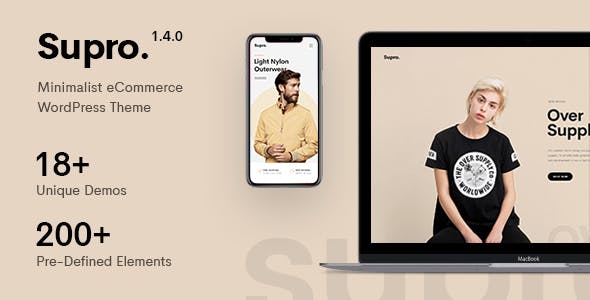
Supro Minimalist WooCommerce Theme v2.0.6 (Pre-Activated)
 🔥 HOT DEAL
Customer Reviews
No reviews yet for this product
Have you purchased or downloaded this item? Be the first to share your honest feedback with the community!
Want Unlimited Access to This & 7,400+ Other Items?
Stop buying items one by one. Join thousands of creators getting 1-click instant direct downloads, daily regular updates, and priority support for our entire theme and plugin collection.