

Medzin Theme GPL – Medical WooCommerce WordPress Theme
⚡ Instant Direct Download link delivered immediately to your account
Bank-Grade Encrypted Gateway • Instant Digital Download • Zero Risk Guarantee
100% Working Genuine GPL Untouched Files & Safe Direct Downloads
Product Overview
One of the key features of Medzin Theme GPL
Medzin Theme is its responsive design. This means that your website will look great on any device, whether it be a desktop, laptop, tablet, or mobile device. This is essential for ensuring that your website can be easily accessed by all of your potential customers and visitors. In addition to its responsive design, Medzin Theme GPL also comes with a range of customization options. You can easily change the colors, fonts, and layout of your website to suit your specific needs. This makes it easy to create a website that truly reflects your brand and sets you apart from the competition.How to Install Medzin Theme on Your WordPress Website
If you're looking to install the Medzin theme on your WordPress website, the process is simple and straightforward. In this guide, we'll walk you through the steps to install Medzin Theme on your WordPress website. Step 1: Download Medzin Theme To get started, you'll need to download the Medzin Theme file. This can be done directly from the WordPress Theme Repository or from the website of the theme developer. Step 2: Log in to Your WordPress Dashboard Once you have the Medzin Theme file, log in to your WordPress dashboard. This is typically located at yourdomain.com/wp-admin. Step 3: Navigate to the "Themes" Section In your WordPress dashboard, navigate to the "Themes" section. This can be found under the "Appearance" menu item. Step 4: Click the "Add New" Button In the "Themes" section, click the "Add New" button at the top of the page. Step 5: Click the "Upload Theme" Button Next, click the "Upload Theme" button and select the Medzin Theme file that you previously downloaded. Step 6: Activate the Theme After the theme has been uploaded, you'll need to activate it. To do this, simply click the "Activate" button. Step 7: Customize Your Website With the theme installed and activated, you can now start customizing your website to suit your specific needs. You can change the colors, fonts, and layout of your website, as well as add custom pages and features using plugins.Technical Specifications & Compatibility
| License | GPL |
| Current Version | v7.3.0 |
| Original Author | GPLCare |
| WordPress Compatibility | WP 5.8 to 6.7+ (Fully Compatible) |
| PHP Requirements | PHP 7.4 / 8.0 / 8.1 / 8.2 / 8.3 |
| File Integrity | 100% Untouched (Original .zip) |
| Security & Safety | 100% Clean & Verified (Safe) |
| Download Delivery | Instant Direct High-Speed Download |
Instant Direct Download
High-speed direct download link
100% Virus-Free
Verified authentic & clean files
VIP Priority Support
Direct 24/7 Helpdesk & Ticket
Related Products You May Like
View Catalog → 🔥 HOT DEAL
 🔥 HOT DEAL
 🔥 HOT DEAL
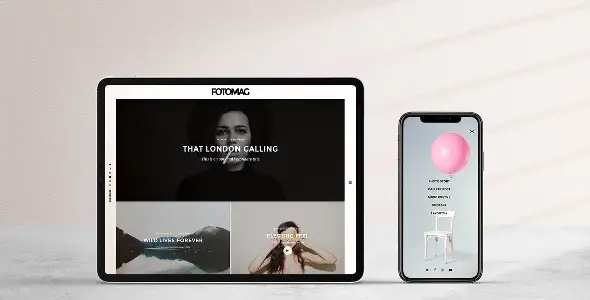
Fotomag Minimal Blog, Magazine, Personal Blog WordPress Theme
 🔥 HOT DEAL
Customer Reviews
No reviews yet for this product
Have you purchased or downloaded this item? Be the first to share your honest feedback with the community!
Want Unlimited Access to This & 7,400+ Other Items?
Stop buying items one by one. Join thousands of creators getting 1-click instant direct downloads, daily regular updates, and priority support for our entire theme and plugin collection.